

Chapter 1: Inside the Linux World
Foreword
We recommend that you do not use AI to do the exercises as you are in the learning phase.
Introduction
Future hacker? Future Linux system administrator? Future DevOps? Just curious? Passionate about computers? Let’s explore the wonderful world of Linux together. Linux, the famous open-source operating system that everyone fears.
1. History of Linux
Linux was born in 1991, created by Linus Torvalds, a Finnish student inspired by UNIX, a powerful and modular operating system developed in the 1970s by Ken Thompson, Dennis Ritchie, and others at Bell Labs. UNIX was renowned for its stability and portability, but its code was not free. Torvalds wanted to recreate a similar system that was free and open, so he published the Linux kernel and shared it with the community. By combining it with tools from the GNU project (launched by Richard Stallman in the 1980s to create a free operating system similar to UNIX), Linux became a complete operating system, often referred to as GNU/Linux. It inherited concepts such as multi-user management and multitasking from its UNIX roots, while evolving thanks to open source. Today, Linux dominates the market for servers, supercomputers, and even smartphones (via Android), often surpassing UNIX in popularity.
Let’s recap the key points to remember:
-
UNIX as inspiration: Created in the 1970s at Bell Labs, UNIX introduced key concepts (stability, modularity, multi-user) that influenced Linux, although it remained proprietary.
-
Linux, a free alternative: In 1991, Linus Torvalds developed the Linux kernel, inspired by UNIX, and made it open source, marking the beginning of a global collaborative project.
-
Role of the GNU project: Initiated by Richard Stallman in the 1980s, GNU provides the tools that, combined with the Linux kernel, create a completely free UNIX-like system.
-
Power of open source: The global community is evolving Linux, making it adaptable and dominant in servers, supercomputers, and smartphones (Android).
-
Legacy and impact: Linux retains the spirit of UNIX while surpassing it in accessibility and popularity, becoming a pillar of modern computing.
Short Exercise
- Research the differences between Unix, Linux, BSD, and GNU.
- What is open source?
- What is free software?
- What is proprietary software?
- What is the difference between open source and free software?
2. Linux distributions
Now you know what Linux is. You may be wondering how to install it. Installing Linux involves three main steps.
- Choosing a distribution (Debian? Ubuntu? Kali Linux? Linux Mint? Arch Linux, etc.)
- Choosing an installation method (main OS? Dual boot? Virtual machine? Cloud?)
- Installation 🙃
Let’s talk about Linux distributions
Linux is installed via a distribution. A Linux distribution (or “distro”) is a complete, ready-to-use version of the Linux operating system, built around the Linux kernel. It includes not only the kernel, but also a set of software, tools, libraries, and often a user interface (such as a desktop environment), all tailored to specific needs. It should also be noted that each distribution has its own particularities.
In the Linux world, we talk about parent distributions. A parent distribution is a Linux distribution that serves as the basis or starting point for other derivative distributions. These “parents” are often stable, well-established, and provide a technical foundation on which other projects build their own versions, adding customizations or specific objectives.
Examples of parent distributions
- Debian: One of the most influential, known for its stability. It is the origin of many distributions such as Ubuntu, Linux Mint, and Kali Linux.
- Red Hat: Mainly used in businesses, it gave rise to Fedora (community version), CentOS (before its transition to CentOS Stream), and Rocky Linux.
- Arch Linux: Minimalist and flexible, it inspires derivatives such as Manjaro, which focuses on ease of use.
NB: Some distributions have a default user interface, others do not (when the system starts up, you land directly on a command line interface).
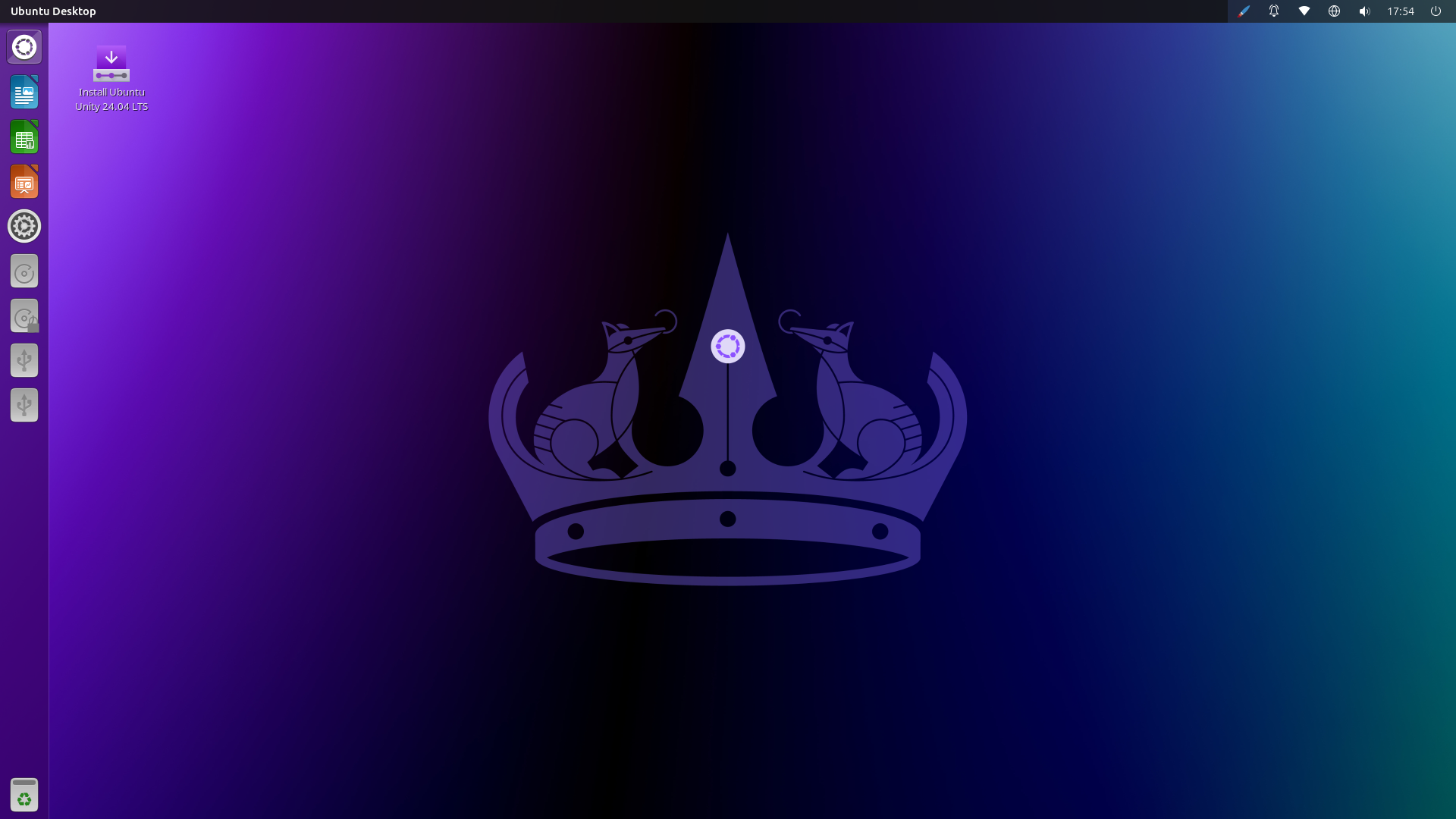
A Linux distribution (Ubuntu 24.04) with a user interface may look like this:
A Linux distribution without a user interface may look like this:
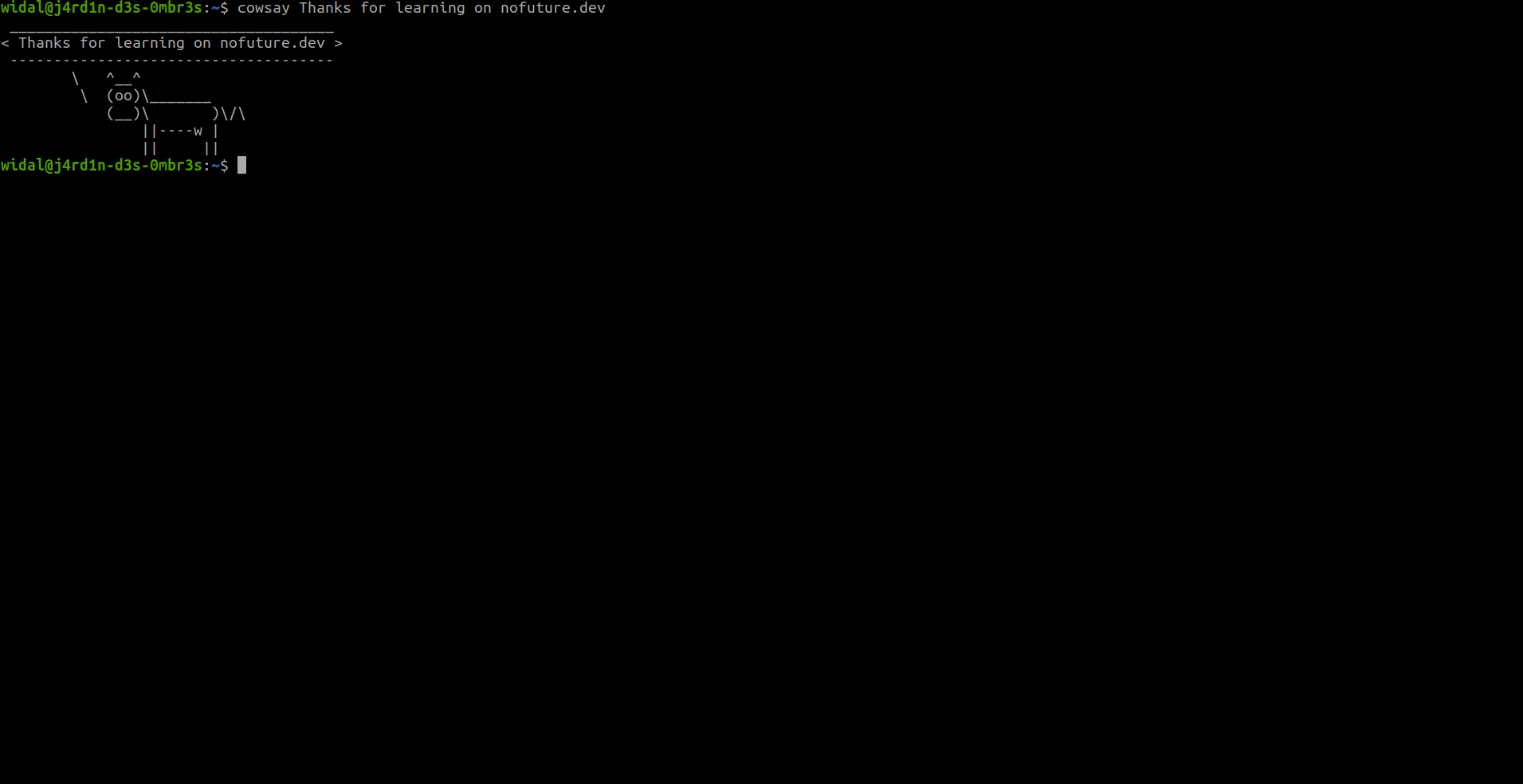
Info: In general, Linux is installed on servers without a user interface. Management is therefore done via the command line only.
The major differences between distributions
We will compare distributions according to three criteria: package and update management, philosophy and target audience, and ease of use.
-
Package and update management
- Debian: Uses the
aptmanager (.debformat). Prioritizes stability with less frequent but rigorously tested updates. “Stable” versions may include older software. - Red Hat: Uses
yumordnf(.rpmformat). Enterprise-oriented, with long cycles (RHEL) to ensure stability. Fedora, its derivative, is more up-to-date and experimental. - Arch Linux: Uses
pacman. “Rolling release” model: continuous updates, always cutting edge, but less stable if poorly managed.
- Debian: Uses the
-
Philosophy and target audience
- Debian: Versatile, focused on software freedom (strict open source), suitable for servers, workstations, or technical users.
- Red Hat: Designed for businesses (RHEL is paid), with commercial support. Fedora targets innovators, and Rocky Linux targets those looking for a free alternative to RHEL. For reference, RHEL stands for Red Hat Enterprise Linux.
- Arch Linux: Intended for advanced users who want total control, without imposed default configurations.
- Ease of use
- Debian: Moderately accessible. Its derivatives, such as Ubuntu, simplify installation and the experience for beginners.
- Red Hat: RHEL is complex and geared toward professionals. Fedora is more accessible, while Rocky Linux seeks to offer a simple solution for former CentOS users.
- Arch Linux: No native ease of use (manual installation). Manjaro, its derivative, provides a user-friendly and simplified interface.
💡 A secondary criterion that could be added is the specificity of the distribution: some are security-oriented (hacking/pentesting), others are geared towards gaming, or designed for everyday use (generalists) or adapted to less powerful machines (lightweight).
With freedom at the heart of Linux, each distribution has its own objectives, philosophies, history, and package manager.
Exercise ⚔️
- Take a look at https://distrowatch.com/
- Find two Linux distributions based on different characteristics (hacking, gaming, general-purpose, and lightweight)
- Research Tails OS and Qubes OS
- What is an LTS version?
- What are the LTS versions of Ubuntu?
- What is dual boot? What are its advantages and disadvantages?
- What is a hypervisor? What is virtualization? What virtualization software is available for PCs?
- Research cloud providers
- Install a Linux distribution of your choice in a virtual machine to explore it 🙂
Feedback
Let us know what you think about this chapter.
👉🏾 Click here